

How to Improve Search Clicks Without Higher Rankings
To improve search clicks without higher rankings, increase the share of searchers who choose your existing listings. Diagnose CTR at comparable positions, improve titles and snippets, strengthen the destination, and measure whether the additional visits produce qualified traffic.
Your pages still rank, but organic clicks have stalled. Before investing in another ranking campaign, check whether the visibility you already have is converting into visits.
Improving search clicks without higher rankings means increasing organic click through rate, or CTR, for comparable searches at comparable positions. Better titles, more useful snippets, stronger content, and eligible rich results can help. But first, you need to distinguish a weak listing from changes in search demand or the results page itself.
This guide explains how to diagnose the problem, prioritize improvements, and measure additional clicks without mistaking ranking changes for CTR gains.
Why Do Search Clicks Change When Rankings Stay the Same?
1) What is the relationship between clicks, impressions, and CTR?
The basic relationship is straightforward:
Organic clicks = impressions × CTR.
A page can lose clicks because fewer people see it, because fewer people choose it, or both. An unchanged average position does not distinguish those causes.
2) How do search features affect clicks without changing rankings?
Search layouts also matter. Ads, videos, answer boxes, and AI responses can push a traditional listing farther down the screen without changing its reported ranking. Some searches are answered without a visit.
According to Pew Research Center's analysis of US browsing in March 2025, traditional result clicks occurred on 8% of visits with an AI summary, compared with 15% without one. Links inside AI summaries received clicks on 1% of visits containing a summary.
Those are observational findings about search visits, not a predicted traffic loss for your page. They nevertheless explain why rankings alone are an incomplete performance measure.
Bing’s Copilot Search similarly combines synthesized answers with citations. Track citations separately from referral visits: being mentioned is not the same as earning traffic. A broader AI search benchmarking process can help teams distinguish visibility in generated answers from measurable visits and conversions.
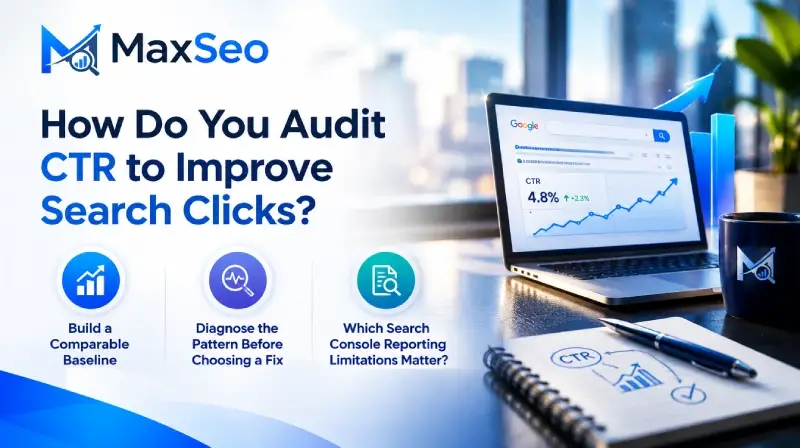
How Do You Audit CTR to Improve Search Clicks?
Start with a focused diagnosis rather than a sitewide title rewrite.
1) Build a Comparable Baseline
In Google Search Console, open Performance → Search results and enable clicks, impressions, average CTR, and average position. Google's Performance report documentation explains the available filters and how these metrics are aggregated.
Use this sequence:
a) Select one search type, such as Web.
b) Compare equivalent periods. Two periods of 28 days are a practical starting point, not a required test duration.
c) Filter to a specific page and inspect its queries.
d) Separate countries and devices where they materially affect performance.
e) Separate branded searches from searches by people unfamiliar with your company.
f) Compare clicks, impressions, CTR, and position together.
For larger analyses, use exports or API reporting to assemble comparable query and page combinations. Keep the same device, country, and search type throughout the comparison.
Calculate aggregate CTR as total clicks divided by total impressions. Do not average individual row percentages without weighting them by impressions.
2) Diagnose the Pattern Before Choosing a Fix
- Stable impressions and position, falling CTR: inspect titles, snippets, competing listings, and search features.
- Falling impressions and stable CTR: investigate demand, query coverage, and visibility before changing copy.
- Stable sitewide position but changing query positions: investigate the underlying ranking movements. The average may hide offsetting gains and losses.
- More clicks but fewer qualified leads: check whether the listing attracts the right audience and whether the landing page delivers its promise.
Inspect actual results on relevant devices and locations. Record the displayed title, snippet, prominent competing features, and whether your listing is visible without scrolling. A manual inspection is a sample, not a universal view of what every searcher sees.
3) Which Search Console Reporting Limitations Matter?
Average position is an aggregate, not proof that every query held the same rank. A page can gain visibility for new searches while losing visibility for valuable existing ones, leaving its average position relatively unchanged.
Search Console also omits some anonymized queries from query tables. As a result, visible query rows may not add up to the totals shown in the report. Use consistent reporting methods and do not interpret missing query detail as evidence that the underlying impressions disappeared.
Search Console clicks and analytics sessions are different measurements. Consent settings, tracking configuration, and whether a visit loads your analytics can affect how they relate. Use Search Console to assess search performance and analytics or CRM reporting to evaluate what visitors do afterward.
Which Pages Have Recoverable Click Opportunity?
1) What is a useful CTR benchmark?
There is no universal good CTR. A branded navigation query, a broad informational search, and a competitive software comparison have different click patterns.
Build an internal benchmark from pages with similar intent, devices, countries, and position ranges. Then prioritize pages with:
- Substantial impressions and commercially relevant queries.
- CTR below comparable pages on your own site.
- A visible weakness you can fix, such as a generic title.
- An offer or resource that genuinely deserves the click.
2) How do you estimate additional click opportunity?
Use a planning estimate:
Potential additional clicks = impressions × plausible CTR improvement.
For example, a hypothetical page receiving 30,000 impressions could gain approximately 300 clicks if CTR increased from 2% to 3% at the same impression volume. That is a scenario, not a forecast.
Prioritize the opportunity alongside conversion potential. A modest improvement on a product comparison may be more valuable than a larger increase on an unrelated educational article.
3) Which improvement should you test first?
Choose the smallest change that addresses the observed problem. This makes the result easier to interpret and reduces unnecessary changes to pages that already perform well.
| Observed problem | First action to consider | What to verify |
|---|---|---|
| The title describes the topic but not the audience | Add a truthful audience or use case distinction | CTR and qualified visits for the intended queries |
| The snippet is vague or unrelated to the query | Improve the description and relevant page passages | Whether Google displays more useful snippet text |
| The listing promises information the page lacks | Add the missing information or correct the promise | Engagement and conversion quality after the click |
| Competitors display relevant enhanced results | Assess supported structured data eligibility | Valid markup and actual search appearance |
| Clicks fell after the results layout changed | Reassess query opportunity and visitor value | Comparable query CTR and business outcomes |
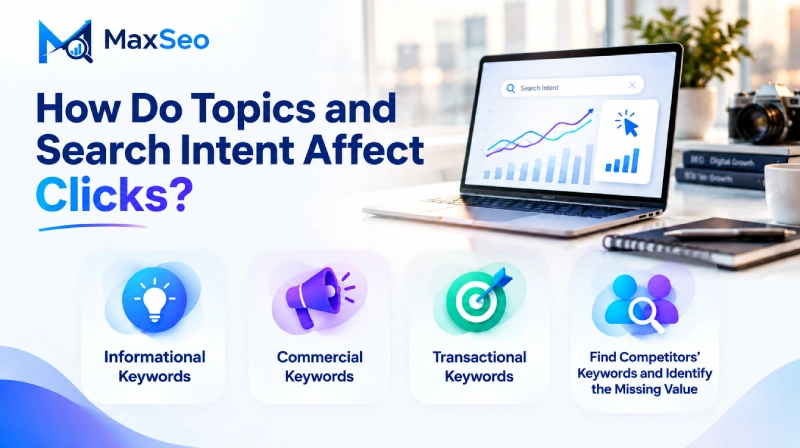
How Do Topics and Search Intent Affect Clicks?
A title can contain the target keyword and still fail to communicate what the searcher needs.
Group queries by the problem they express, then identify the page best suited to solve it. For a B2B reporting platform, related searches might concern reporting automation, spreadsheet replacement, implementation effort, or pricing. Those are connected topics, but they do not necessarily belong on the same page.
Understanding search intent helps you choose both the right destination and the right promise for its listing.
1) Informational keywords
These searches seek understanding, such as “how to automate monthly reporting.”
Offer a clear process, examples, and practical guidance. The listing should communicate the useful work the reader can accomplish, not merely repeat the topic.
2) Commercial keywords
These searches evaluate options, such as “reporting software comparison.”
Provide decision criteria, limitations, integrations, and evidence that helps readers compare alternatives. A generic educational guide is unlikely to satisfy this intent.
3) Transactional keywords
These searches indicate readiness to act, such as “reporting software demo” or “reporting platform pricing.”
Make the next step clear and ensure the destination actually provides it. Do not promise pricing in a title if the page only contains a contact form.
4) Find competitors' keywords and identify the missing value
Review the queries your pages already receive, inspect competing search results, and use competitive keyword research where available. Organize discoveries by topic and intent rather than copying a rival's keyword list.
For each opportunity, ask:
a) What does the competing listing promise?
b) Does its page fulfill that promise?
c) What useful information is missing?
d) Can your existing page fill the gap, or does the intent require a separate resource?
The objective is a better answer and a clearer reason to click, not another page targeting a slightly different phrase.
How Do You Rewrite Titles Around a Real Reason to Click?
1) How do you write a title that earns relevant clicks?
Titles should identify the topic and expose the detail that distinguishes your page.
Google Search Central's title guidance recommends descriptive, concise titles. Google also generates title links from multiple sources, so editing the HTML title does not guarantee the displayed result will change.
Consider this hypothetical example:
Before: Reporting Automation Software | Company Name
After: Reporting Automation for Finance Teams | Company Name
The revised version clarifies the audience. It is appropriate only if the page genuinely serves finance teams.
Useful differentiators include:
- The specific audience or use case.
- An available template, calculator, or checklist.
- A supported integration or compatibility detail.
- The scope of a comparison or implementation guide.
2) What should you check before publishing a title change?
Keep the core topic recognizable, remove repetitive boilerplate, and align the title with the main heading and page content. Review the rendered result rather than optimizing toward a rigid character count: display space varies.
Avoid unsupported superlatives, artificial urgency, and dates added only to imply freshness. More clicks are not a win if the title creates the wrong expectation.
3) Should you add numbers, questions, or the current year?
Use these elements when they accurately describe the resource, not as automatic CTR formulas. A numbered checklist can clarify scope, a question can match a specific task, and a year can help when the information genuinely changes over time.
Do not add “2026” to an unchanged guide simply to appear current. The strongest title distinction is a useful, verifiable reason to choose the page.
How Do You Improve Descriptions and the Content Google Can Quote?
1) How do you make a meta description more useful?
A meta description is a candidate summary, not a guaranteed advertisement. Google Search Central's snippet guidance explains that snippets primarily come from page content, with meta descriptions used when they provide a better summary.
Replace generic copy with a concrete description of the page's value.
Generic: Discover our reporting solutions and learn how we help businesses succeed.
Specific: Compare reporting automation workflows, review implementation requirements, and use a checklist to evaluate your current process.
Use the second description only if those resources exist on the page.
2) How do you improve the page text used in snippets?
Also improve potential snippet material in the content itself:
- Put a direct explanation near the beginning.
- Use descriptive headings for important questions.
- State material limitations and requirements clearly.
- Remove outdated or repetitive boilerplate.
Do not broadly suppress page text in an attempt to force Google to use your preferred description. Useful query specific snippets may outperform a single authored summary. First confirm what Google actually displays, then decide whether an intervention is needed.
3) Do meta descriptions directly improve rankings?
Meta descriptions do not directly influence Google’s ranking algorithm. Their role in this workflow is to help communicate relevance and value when Google uses them in a search snippet.
Separate that effect from changes to the page itself, which may influence rankings as well as the text available for snippets.
How Do You Refresh Old Content and Make It More Useful?
1) What should a content refresh include?
Content refreshes support CTR when they give searchers a stronger, truthful reason to visit. Changing a publication date alone does not accomplish that.
Audit older pages for obsolete screenshots, discontinued features, inaccurate instructions, missing limitations, broken references, and examples that no longer reflect the intended audience.
Then add depth where readers face a real decision. For a guide to reporting automation, useful additions might include:
- A workflow showing inputs, review stages, and outputs.
- A checklist for evaluating data quality.
- Implementation dependencies and common failure points.
- A sample reporting specification.
- Guidance on when automation is unsuitable.
Depth means completeness of the task, not maximum word count. Explain what readers need to do, what could go wrong, and how to verify success.
2) How do you separate content improvements from other SEO changes?
These additions can improve the page and supply stronger snippet material. They may also affect rankings, so test substantial content revisions separately from title changes when you want to isolate their effects.
If overlapping articles compete to answer the same question, assess consolidation and internal linking. Where duplicate versions are the issue, review how canonical URLs prevent duplicate page confusion before interpreting performance across multiple URLs.
How Do You Add Relevant Rich Result Eligibility?
1) Can structured data improve search clicks?
Structured data can help eligible pages qualify for enhanced search appearances. The opportunity is the useful information displayed to searchers, not the presence of markup by itself.
Google Search Central reports that Rotten Tomatoes measured 25% higher CTR on pages enhanced with structured data than on pages without it. The public example does not establish a universal improvement at unchanged positions, so treat it as evidence of potential rather than a forecast.
2) How do you evaluate and implement eligible enhancements?
For each relevant page:
a) Check which search enhancements Google currently supports.
b) Confirm that the page meets the feature's eligibility requirements.
c) Mark up information that accurately represents visible content.
d) Validate the implementation and monitor reported issues.
e) Check whether an enhancement actually appears.
Do not manufacture ratings or assume every schema type creates additional search space. Google restricts FAQ rich result eligibility to well known, authoritative government and health websites, so adding FAQ markup is not a general tactic for expanding a B2B company's listing. A useful FAQ can still help readers without producing a rich result.
A visible enhancement can also be unhelpful if it exposes an unfavorable or confusing comparison. Evaluate the result from the buyer's perspective.
3) Which enhancements are relevant to a B2B website?
Breadcrumb markup can help communicate site hierarchy. Video markup may be appropriate for a page with a substantive, accessible product demonstration. Product or software related markup requires careful review of the supported feature and its requirements; not every software page qualifies for the same appearance.
Use Google's Rich Results Test for supported enhancements, and Search Console reports to monitor detected issues. Valid markup establishes eligibility, not a guarantee that Google will show an enhanced result.
How Do Internal and External Links Support Search Clicks?
1) What role do links play in improving search clicks?
Link building belongs in the broader SEO strategy, but it is not a direct substitute for CTR optimization.
Improve internal links so readers can move from educational content to comparisons, product information, and relevant conversion pages. Use descriptive anchors and link where the next resource genuinely helps. A clear linking structure also helps search engines find your important pages.
For external links, prioritize assets worth referencing: original research, useful tools, transparent methodologies, and substantive guides. Relevant editorial coverage can support discovery and brand familiarity, but it does not guarantee a higher CTR at a fixed position.
Measure these efforts separately. If links coincide with ranking gains, describe the outcome as broader SEO improvement rather than attributing every additional click to listing changes..
2) Can you influence sitelinks and listing identity?
Google generates sitelinks automatically. Clear navigation, descriptive internal anchors, and a logical site structure can help Google understand important destinations, but you cannot require a particular set of sitelinks to appear.
Also check that your displayed site name and favicon accurately identify your company. Consistent identity helps searchers recognize the source, although correcting these elements does not guarantee a measurable CTR increase.
How Do You Test Whether Clicks Improved at Comparable Rankings?
1) How do you set up a useful CTR test?
Maintain a change log containing the page, target queries, hypothesis, original copy, revised copy, deployment date, and observed listing changes.
Where feasible, change one major element at a time and retain a comparable group of unchanged pages. Start evaluating the treatment after Google has reflected the change, not merely after deployment.
2) What if Google has not picked up your changes?
Confirm that the revised title, description, and content are present on the live page and available to crawlers. Use Search Console's URL Inspection tool to review indexing and canonical information, particularly if the wrong URL appears in results.
You can request indexing for an updated URL, but recrawling and reprocessing are not immediate or guaranteed. Repeated requests do not replace checking crawl access, indexing directives, and the selected canonical URL.
If the page has been processed but Google still displays different wording, revisit the alignment among the HTML title, visible heading, page content, and search intent. A different displayed title is not automatically a technical failure.
3) How do you distinguish CTR lift from total click growth?
Consider this hypothetical matched cohort:
- Before: 20,000 impressions, 600 clicks, 3% CTR, average position 5.1.
- After: 22,000 impressions, 880 clicks, 4% CTR, average position 5.1.
The results are:
- Absolute CTR increase: 1 percentage point.
- Relative CTR lift: approximately 33.3%.
- Estimated additional clicks from improved CTR: 22,000 × (4% minus 3%) = 220.
Total clicks increased by 280, but that is not entirely a CTR improvement because impressions also increased.
4) What makes the result credible and commercially useful?
Check the underlying query and position distribution, not only the cohort average. Consider seasonality, competitor changes, search features, and whether similar untreated pages also improved.
A sustained increase across comparable conditions supports the hypothesis. It does not prove causation. Low volume pages may require longer observation, and some tests will remain inconclusive.
Finally, connect clicks to engaged visits, qualified leads, demos, and conversions. A higher CTR that attracts unsuitable visitors is not meaningful growth. Use your search queries to evaluate qualified traffic, rather than treating every additional visit as equally valuable.
How Do You Build a Continuous Search Improvement Workflow?
1) How do you turn individual tests into a repeatable process?
Use your most popular articles as a starting queue, but rank opportunities by recoverable qualified traffic rather than historical popularity alone.
A repeatable workflow is straightforward: monitor performance, diagnose losses, propose changes, obtain approval, publish, and evaluate outcomes.
2) Where do AI specialists and human reviewers fit?
AI specialists can help group queries, research competing results, draft alternatives, and summarize performance. Human reviewers should control priorities, validate claims, approve changes, and decide what gets published.
MaxSEO approaches this as a coordinated AI SEO and content team, connecting research, content operations, and performance analysis with human oversight. The objective is continuous improvement in qualified traffic and conversion performance, not simply more automated activity.
For further reading, explore the MaxSEO resources library and build a focused learning queue around the issues your audit uncovers.
Turn Existing Visibility Into Qualified Traffic
When rankings stay the same, start with the clicks your existing visibility should be earning. Diagnose comparable queries, improve the displayed promise, strengthen the destination, and verify the business outcome.
Keep working on rankings where needed, but do not overlook the opportunity already on the results page.
Ready to put your content on autopilot with human control? Request a MaxSEO demo.
FAQ's on Search Clicks
Can you improve search clicks without higher rankings?
Yes. Improving CTR can generate more clicks from existing impressions without a ranking increase. Compare similar queries, devices, countries, and positions to distinguish listing improvements from changes in demand or visibility.
What is a good organic search CTR?
There is no universal good organic search CTR. Build a benchmark using pages with comparable search intent, devices, countries, and position ranges rather than judging every page against the same target.
Why are clicks falling when average position is unchanged?
Clicks can fall because impressions declined, CTR declined, or both. An unchanged average position can also hide ranking changes for individual queries or search layouts that make your listing less prominent.
Will Google use my revised title and meta description?
Not necessarily. Google generates title links from multiple sources and often creates snippets from page content, so check the displayed result before evaluating whether your revisions worked.
How long should you measure a CTR test?
There is no fixed duration that makes every CTR test reliable. Begin evaluating after the changed listing appears, compare equivalent conditions, and allow longer observation when search volume is low; some tests will remain inconclusive.
Does a higher CTR automatically improve Google rankings?
A CTR increase does not establish that rankings will improve or that CTR caused a ranking change. Evaluate CTR as a way to earn more qualified visits from existing visibility, and measure ranking movements separately.