
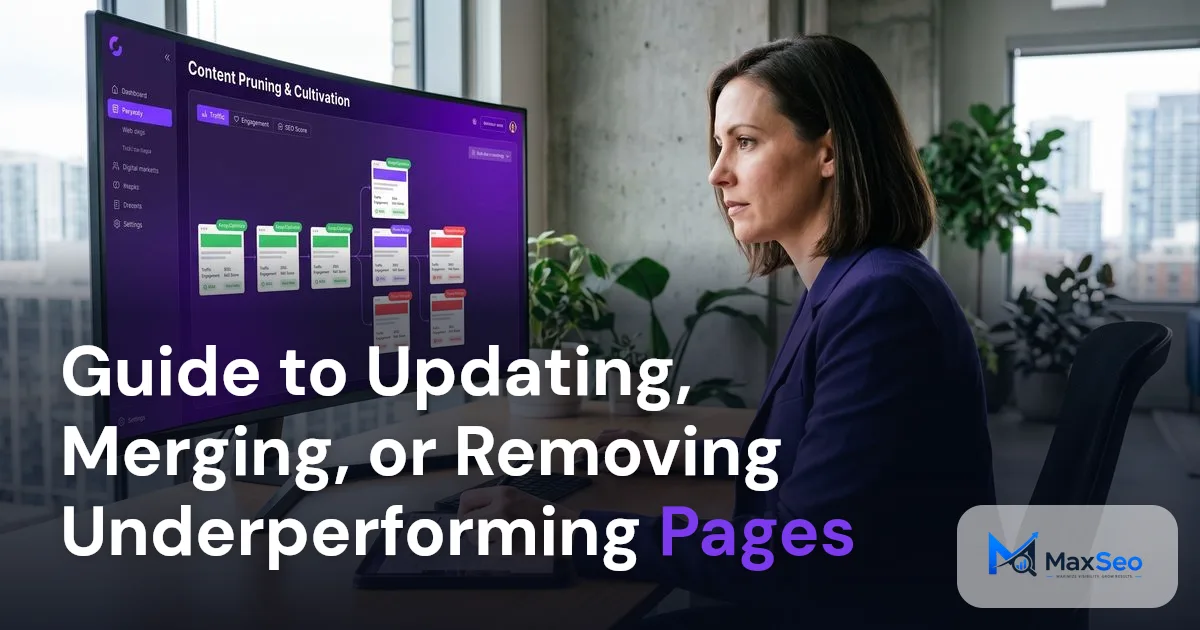
Guide to Content Pruning for SEO Success: Merge Remove Underperforming Pages
***
Content pruning is a strategic process of updating, merging, or removing underperforming web pages to improve SEO outcomes. Reducing URL count is not the goal. Evaluate each page’s search visibility, usefulness, links, technical health, and contribution to business results before deciding what to do.
What is Content Pruning?
Content pruning involves systematically managing your website's content by updating, merging, or removing pages that aren't supporting your site's objectives. Pruning does not always mean deletion. A page with limited organic traffic may still support sales, answer a specialist question, attract referrals, or help existing customers.
Why is Content Pruning Important for SEO?
1) How Does Pruning Improve Crawl Efficiency?
Crawl budget is primarily a concern for large or frequently changing sites. Before pruning pages for crawl efficiency, check whether important URLs are being discovered, crawled, and indexed. Technical barriers, duplicate URLs, or weak internal linking may be the actual issue. For guidance, see how search engines find important pages.
2) How Does Pruning Boost User Experience?
Pruning can improve navigation when it removes conflicting or outdated information. For example, several outdated implementation guides might be consolidated into one accurate resource. Preserve any instructions that still apply to supported product versions.
3) What Role Does Pruning Play in Strengthening Site Authority?
Removing pages alone does not establish authority or guarantee search performance. The remaining content needs to be accurate, useful, and aligned with what readers need.
4) How Does Content Pruning Support a Focused Strategy?
Content pruning focuses your strategy on high performing topics aligned with your business and SEO objectives.
A focused strategy should also protect useful specialist content. A page that answers a technical question from a buyer may have more business value than a broad article attracting unrelated visitors.
When Should You Consider Content Pruning?
1) What Do Low Traffic and Engagement Indicate?
Pages with insufficient traffic and engagement may not meet user needs. Evaluating these pages can indicate whether updating or removal is necessary. For deeper insights, see How AI Tackles Content Decay to Boost SEO.
Low traffic is a review signal, not a deletion rule. Compare a full demand cycle where possible, account for seasonality and page age, and check whether a canonical URL receives the performance attributed to similar pages.
2) How Do You Handle Outdated Information?
Update content that is no longer relevant to reflect current information, preserving your site's credibility and user value.
3) Why is Removing Duplicate Content Necessary?
Learn more in How Canonical URLs Prevent Duplicate Page Confusion.
Shared keywords alone do not prove harmful overlap. Keep separate pages when they serve distinct audiences, tasks, products, or search intents. Use search intent analysis to distinguish genuine duplication from complementary coverage. An informational guide, product page, and comparison page can share terminology while serving different stages of a purchase.
How Often Should You Review Content for Pruning?
Review content regularly and after meaningful changes, such as a product retirement, migration, or sustained performance decline. A quarterly review can be a practical cadence, but let seasonality, publishing volume, and available evidence guide the schedule. Give new pages a reasonable opportunity to be discovered and reach their audience before classifying them as underperforming.
How to Identify Underperforming Pages
Conduct a comprehensive content audit using tools like Google Search Console for performance data, Google Analytics 4 for engagement metrics, and crawling tools such as Screaming Frog to evaluate metadata and indexability.
Combine evidence from search performance, business value, links, content quality, and technical eligibility. Record the proposed action, reason, owner, destination URL if applicable, and approval status. Preserve a baseline and a copy of affected content before publishing changes.
What Are Common Audit Buckets?
- High Impression, Low CTR Pages: Optimize titles and meta descriptions for these pages.
- Outdated or Thin Content: Identify candidates for updating or merging.
- Keyword Overlap: Consolidate pages when they serve substantially the same user need.
- Zero Value Pages: Pages with no worthwhile role may be removed. Use noindex when useful content must remain available but should not appear in search..
What Evidence Should You Check Before Calling a Page Underperforming?
Compare pages with similar purposes rather than applying one traffic threshold to every URL. Before deciding, check whether search engines can access the intended page, whether it appears for relevant queries, whether it supports users outside organic search, and whether the apparent decline is seasonal or sitewide. Also ask whether a repair could solve the problem without retiring the URL.
What Strategies Improve Underperforming Pages?
1) How Do You Update Content?
Update pages with potential by correcting facts, adding missing answers and useful examples, and clarifying the next step for readers. Repair broken links or technical barriers before assuming the content itself is the problem. Add information only when it improves usefulness.
2) What Does Merging Content Involve?
Merge pages when they substantially overlap and a shared destination can satisfy the same user need. Choose a relevant destination, preserve useful material, and use a direct 301 or 308 redirect from retired URLs. Update internal links and the XML sitemap, then check that the destination is indexable and uses the intended canonical URL.
Keep pages separate when they serve different purposes. For example, a product comparison and a troubleshooting article may use similar terms but answer different questions.
3) When Should You Remove Content?
Remove a page when it has no worthwhile role and cannot be repaired or consolidated into a relevant destination. A lack of traffic or backlinks alone is not enough reason. Use a 404 or 410 response when the content is gone and there is no relevant replacement. Use noindex when the content should remain accessible but should not appear in search.
How Do You Choose Between Keeping, Updating, Merging, and Removing?
| Action | Appropriate situation | Main safeguard |
|---|---|---|
| Keep | The page serves a distinct, useful purpose | Record why it remains valuable |
| Update | The purpose is sound, but content or implementation needs repair | Address the actual weakness |
| Merge | Pages substantially overlap and one destination can serve their users | Preserve useful material and redirect relevant URLs |
| Noindex | Content must remain accessible but should not appear in search | Allow crawling so search engines can see the directive |
| Remove | The page has no worthwhile role and cannot be salvaged | Return a genuine 404 or 410 response |
A permanent redirect should point to a genuinely relevant replacement. Do not redirect unrelated retired pages to the homepage just to avoid an error response.
How Do You Apply This Guide to Content Pruning for SEO Success?
Use a repeatable workflow that separates recommendations from publishing permissions. Each change should have evidence, an accountable owner, a technical implementation plan, and a measurable outcome.
1) Set the Objective
Define whether the review addresses outdated information, overlapping intent, weak conversion performance, or a specific crawling problem.
2) Build and Preserve the Baseline
Save the URL inventory, performance data, current content, and relevant technical settings.
3) Assign a Proposed Action
Mark each URL as keep, update, merge, noindex, or remove, and document the reason and any replacement destination.
4) Obtain Approval
Ask SEO, content, product, or customer teams to review decisions that could affect users or revenue.
5) Publish and Validate the Change
Complete destination content before retiring source pages, deploy redirects and internal link changes together, and check that the live implementation matches the plan.
6. Measure and Revisit
Compare topic performance with the baseline and investigate unexpected losses before starting another batch.
For a B2B example, consider two overlapping guides to CRM migration planning. Merge them only if one destination can preserve their useful checklists and answer both audiences’ questions. Keep a separate integration troubleshooting page when it serves a distinct technical task, even if its traffic is lower.
Risks and Mitigation Strategies
Content pruning can boost SEO, but it's essential to manage the risks of inadvertently removing valuable content.Use a structured framework and treat 90 days as an initial review window, not a universal deadline. Validate technical changes immediately, then continue measuring when seasonality or limited data makes results uncertain.
| Measurement area | What to review | How to interpret it |
|---|---|---|
| Search visibility | Topic level clicks, impressions, relevant queries, and destination performance | Check whether useful visibility was preserved or improved across affected URLs |
| Qualified traffic | Organic visits to relevant pages and engagement with important information | Separate audience fit from raw traffic volume |
| Business outcomes | Qualified leads, conversions, assisted journeys, and support uses | Check whether pruning removed a valuable customer touchpoint |
| Technical health | Redirects, response codes, internal links, canonical tags, and indexability | Verify that implementation matches the approved plan |
Measure the affected topic, not just the retired URLs. A successful consolidation may shift clicks and conversions to the destination page. Compare results with the baseline while accounting for seasonality, demand changes, and other site updates.
Conclusion
Update, merge, or remove pages based on evidence about their usefulness, search performance, technical health, and business contribution. Measure the effect across search visibility, qualified traffic, and conversions rather than counting deleted URLs. For broader guidance, explore MaxSEO’s AI powered SEO strategy.
FAQ’s on Content Pruning
What is content pruning?
Content pruning is the strategic process of updating, merging, or removing underutilized web pages to align with site goals and enhance overall SEO performance.
Why should I prune content on my website?
Pruning can improve content quality and navigation when decisions are based on user needs and evidence. It does not guarantee better rankings.
How do I decide which pages to prune?
Conduct a content audit using tools like Google Search Console and Google Analytics to identify low traffic, outdated, or duplicate content as candidates for pruning.
How does AI influence content pruning?
AI can help identify overlapping pages and suggest candidates for review. People should confirm accuracy, usefulness, search intent, and business value before changing or removing content.
What steps should follow content pruning?
Validate redirects, response codes, canonical tags, internal links, and sitemap entries after publishing. Use 90 days as an initial review window for traffic, engagement, and conversions, and extend measurement when the evidence needs more time.